In this blog, I am going to be discussing my group for the upcoming Media Studies commercial project. At the moment, I have not decided who I will be working with, as I feel I still need another day to find someone. I am sure, though, that I would like to work with a group on this project. Normally, I am an independent person and prefer to work alone. Working alone can make a task like this easier in some ways. However, I find that working all by myself on this commercial will be highly challenging. I would not be able to record it all by myself, and it would be very difficult to try and find another person to be an actor for my video. It would make more sense and be simpler to have a group of multiple people who can help put this project together. It would also be much less strenuous to find someone to be a recorder, actor, and editor. I would prefer around 3 or 4 people to complete this commercial with. I also hope to find good partners to work with. I want to work with someone...
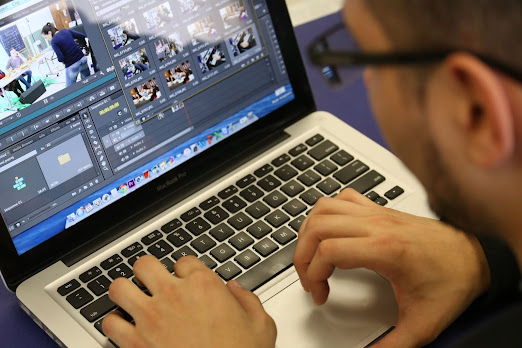
Today, Sarah and I began the editing process of the commercial. This is the next and final step of the project before it is completed. Firstly, I had to look through the takes with Sarah and find the best ones to use for the final product. In addition, it was a challenge to try and find a good video editing app for the project. However, I was able to do some editing when I got home. Sarah and I both took part in editing the video. While she did a lot of editing since she had the recordings on her phone, I participated in the editing and also searched for a video editing app that would be good to use. Eventually, the takes were able to be uploaded onto a computer. I made sure to keep in touch with Sarah so she and I could share details about the editing process. Editing the commercial involved doing many things to perfect the commercial. I had to add in audio, create good transitions, and add logos and words. The first thing I needed to do in order to begin editing was to organize...
My final task is finally complete. I've spent the past two months brainstorming, researching, planning, filming, and editing. Now, all that work has finally paid off. I looked over the final, finished product of my opening sequence, and I couldn't be more satisfied. The editing looks great. The way the scenes are cut and organized makes the sequence flow so perfectly. I also love the text and the design of the titles. It makes it look like a real movie. The sound design also stuck out to me, in a good way. The music fits so perfectly and I love how it blends in with the scenes. I am also incredibly satisfied with the acting. I admittedly didn't expect it to be perfect, but it fits perfectly with the comedic feel of the film. My mom and I both did such a great job. Also, the cinematography was amazing. The camera movements are so smooth and look very cinematic. The angles and shots look very good as well. All of these elements combined to perfectly capture the feel of a re...

Comments
Post a Comment